
A BugHerd alternative for Squarespace designers.
BugHerd is a bug tracker built for web teams. Bridge is a client tool built for designers who work on Squarespace, with the chat and payments BugHerd leaves out.
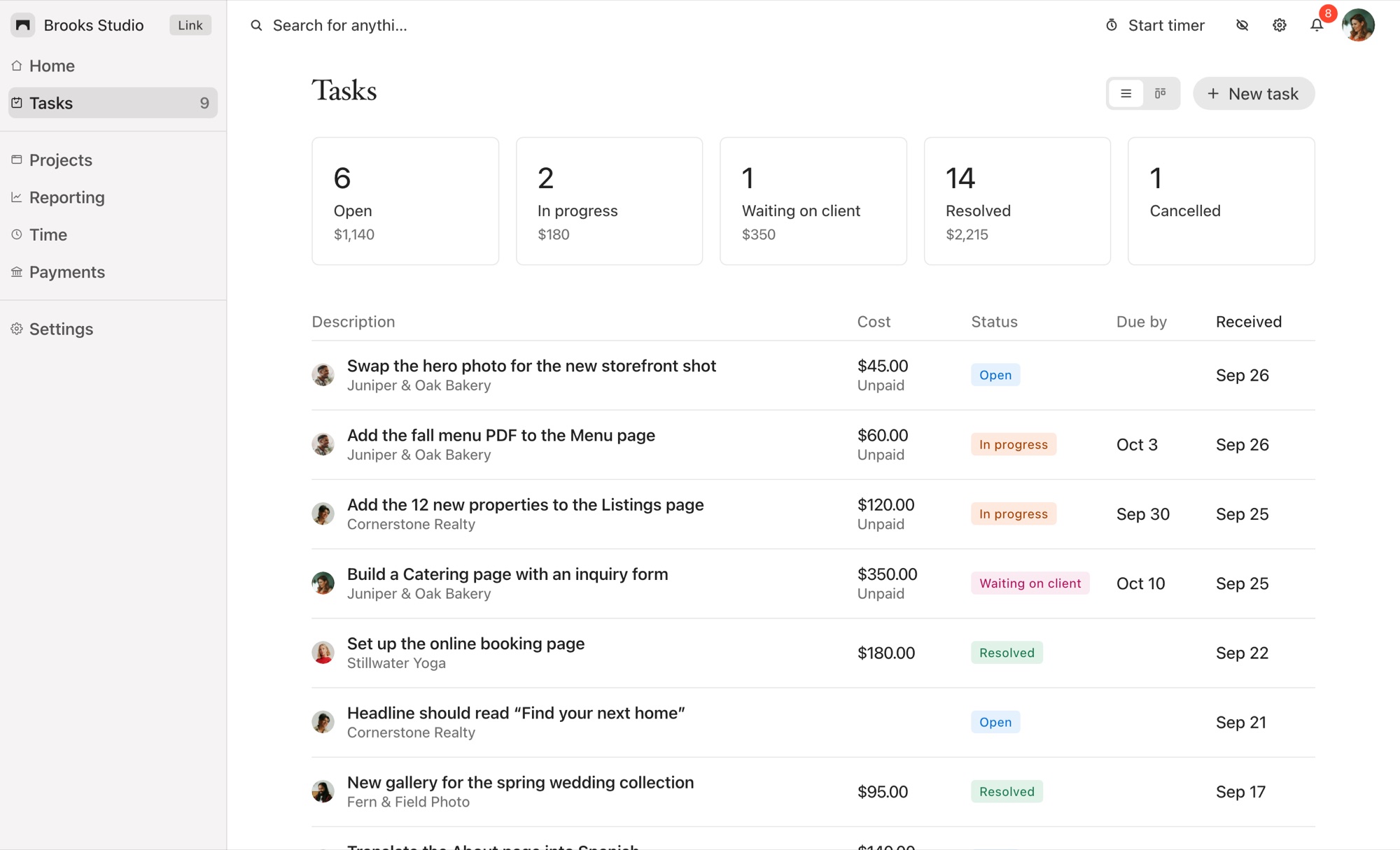
Bridge and BugHerd, Side by Side
BugHerd and Bridge both let a client click on part of a live page and leave feedback that arrives with a screenshot and their browser details. Past that, they’re built for different people. BugHerd is for teams handing reports to developers. Bridge is for a designer and their Squarespace clients.
BugHerd details from bugherd.com/pricing and its support site, checked October 6, 2026.
Why Squarespace Designers Choose Bridge
Made for a client, not a QA team
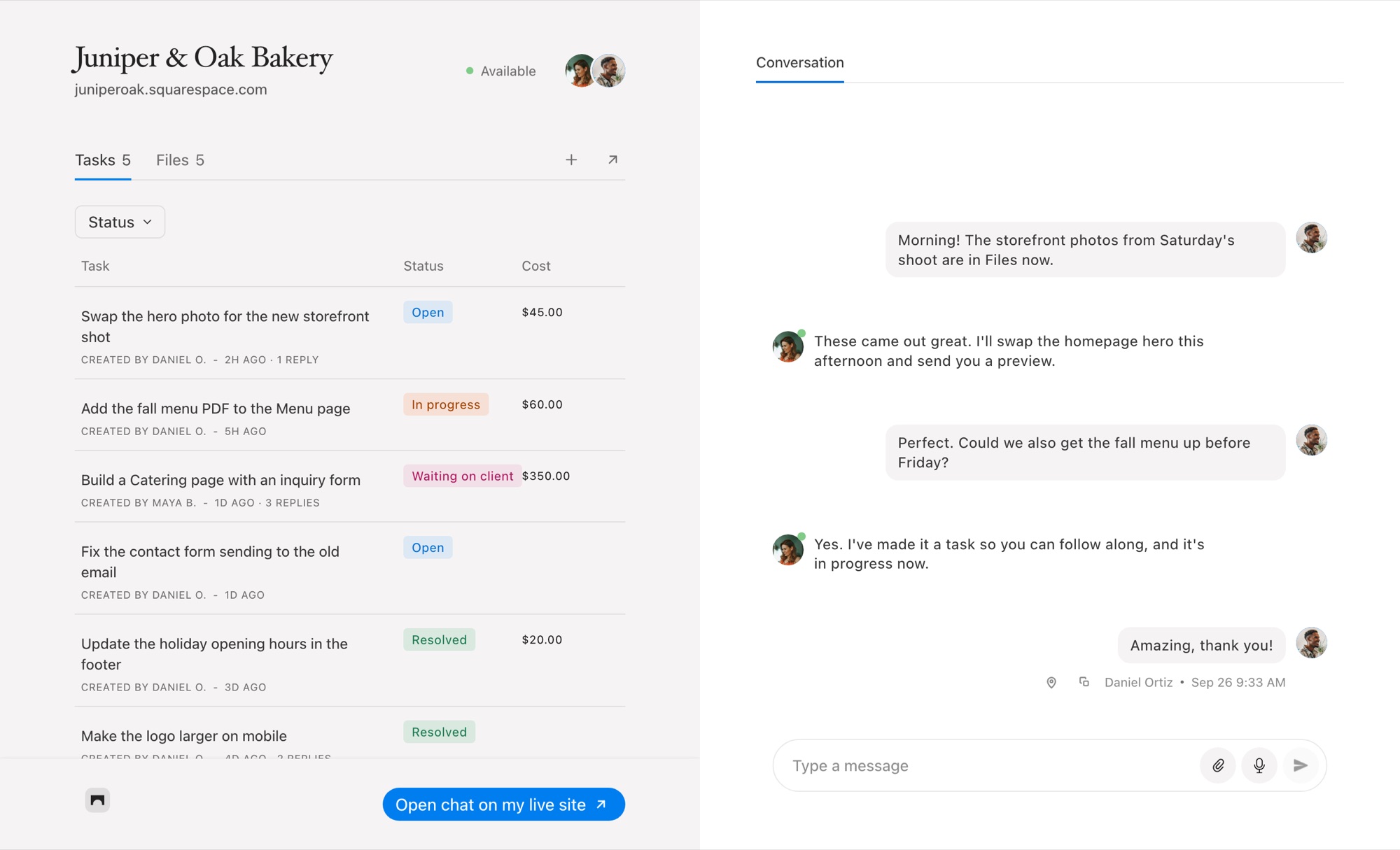
BugHerd’s board, integrations and per-member plans are designed around a team passing bugs to developers. Most Squarespace projects are one designer and one client. Bridge is shaped for that: your client pins a change in their editor, you talk it through in the same place, and the task moves from Open to Resolved.
Nothing shows on the live site
The Bridge widget only appears inside the Squarespace editor, so visitors never see a feedback tab and your client never has to install an extension. Read how to set Bridge up on Squarespace.
A conversation, not just tickets
Clients rarely write a tidy bug report. They ask questions, send photos and change their minds. Bridge gives each project a real-time chat with files and voice notes, and turns any message into a task when it becomes work.
Time and payment on the task
BugHerd hands time tracking to other apps and doesn’t take payment. In Bridge, an hourly task has its own timer and any task can carry a price your client pays through your Stripe account. See the task timer.
When BugHerd Is the Better Choice
Choose BugHerd if you run a team that tracks bugs into Jira, Linear or GitHub, if you need feedback on sites built on other platforms or on staging servers, or if you want video feedback and a public feedback tab for site visitors. It’s a stronger QA tool than Bridge is trying to be.
If your work is Squarespace sites for clients who need somewhere to talk to you as well as point at things, Bridge fits that better and costs less to start.
Common Questions
Is Bridge cheaper than BugHerd?
Bridge starts at $19 a month for five client sites. BugHerd starts at $50 a month for five team members, or $42 a month billed yearly.
Does Bridge capture browser details like BugHerd?
Yes. A task pinned on the page records a screenshot, the browser, the operating system and the window size it was seen at.
Do my clients need a browser extension?
No. Bridge loads from a snippet in the site’s Code Injection and appears in the Squarespace editor for invited members.
Does Bridge integrate with Jira or GitHub?
No. Bridge keeps the tasks, the chat and the payments together in its own dashboard.
Comparing other tools? See every Bridge comparison.

Chat directly
on Squarespace.
Bridge helps you stay connected with the clients you manage. Chat directly and make every conversation count.


