
Bridge vs Dubsado: workflows and the work.
Dubsado automates the paperwork around a client. Bridge is where you and that client actually work on their Squarespace site.
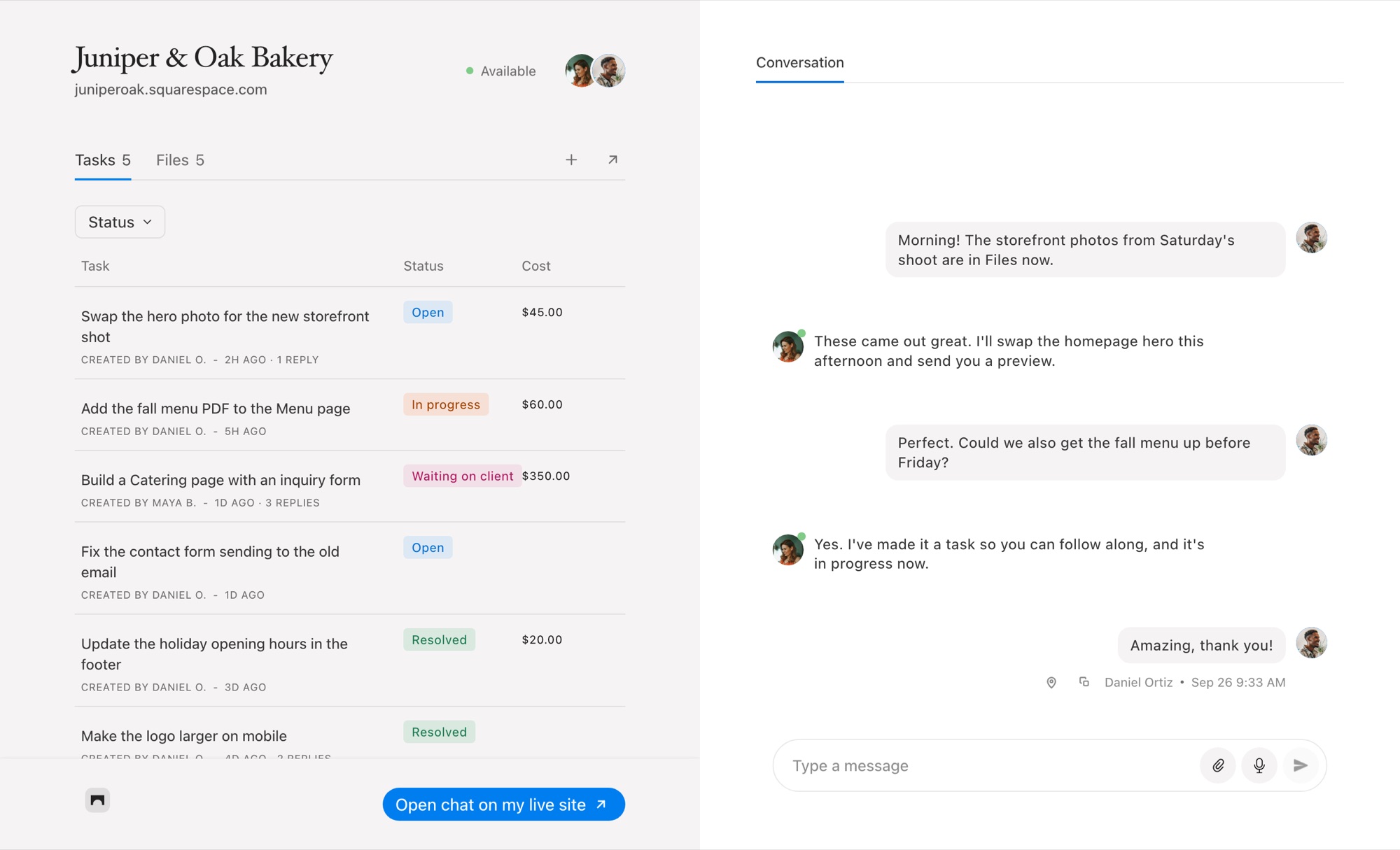
Bridge and Dubsado, Side by Side
Dubsado is a CRM: forms, contracts, invoices, a client portal and automated workflows that move a client from inquiry to paid. Bridge doesn’t do any of that paperwork. It gives you and your client a shared place on their Squarespace site to talk, point at what should change, and track and charge for the work.
Dubsado details from dubsado.com/pricing and its help center, checked October 6, 2026.
Where Bridge Fits Next to Dubsado
Dubsado sends the contract; Bridge holds the conversation
Dubsado is very good at the repeatable steps: the questionnaire, the contract, the deposit invoice, the reminder. What it doesn’t have is a place for the unpredictable part, the dozens of small questions and changes during a build. Bridge gives every Squarespace site its own real-time chat and task list for that.
Feedback where the site is
Your client opens the Squarespace editor and the Bridge widget is in the corner. They pin a note to the section they mean, and you get a task with a screenshot, their browser and their window size. Compare that with a numbered list in an email.
Charge for small changes without a new invoice
In Dubsado, extra work means another invoice. In Bridge, the change request itself carries the price, fixed or hourly from its timer, and your client pays from the task. See client payments.
When Dubsado Is the Better Choice
If you need contracts, proposals, forms, scheduling, payment plans or automated workflows, Dubsado does all of it and Bridge does none. It also supports several brands in one account and isn’t tied to any website platform.
Many Squarespace designers keep Dubsado for onboarding and billing the main project, and use Bridge for the build and everything that comes up after launch.
Common Questions
Can Bridge replace Dubsado?
Not for contracts, forms or workflows. Bridge replaces the email back and forth during a Squarespace build and can take payment for individual tasks.
Does Dubsado have website feedback tools?
No. Dubsado has no way to pin feedback to a page. Bridge does it inside the Squarespace editor, with a screenshot.
Can I use Bridge and Dubsado together?
Yes. Run inquiries, contracts and the project invoice in Dubsado, and the build and later change requests in Bridge.
How much does Bridge cost compared with Dubsado?
Bridge is $19 a month for five client sites. Dubsado’s Starter plan is $335 a year and Premier is $525 a year.
Comparing other tools? See every Bridge comparison.

Chat directly
on Squarespace.
Bridge helps you stay connected with the clients you manage. Chat directly and make every conversation count.


