
A MarkUp.io alternative built for Squarespace.
MarkUp.io lets anyone comment on almost anything. Bridge does one thing for Squarespace designers: feedback, chat, tasks and payments inside your client's own editor.
Bridge and MarkUp.io, Side by Side
MarkUp.io is a good tool, and for some work it's the better one. If you review PDFs, video and sites on every platform, it covers more ground than Bridge ever will. If your clients are on Squarespace, the comparison looks different.
MarkUp.io details from markup.io/pricing, September 2026.
Why Squarespace Designers Switch
Feedback where your client already works
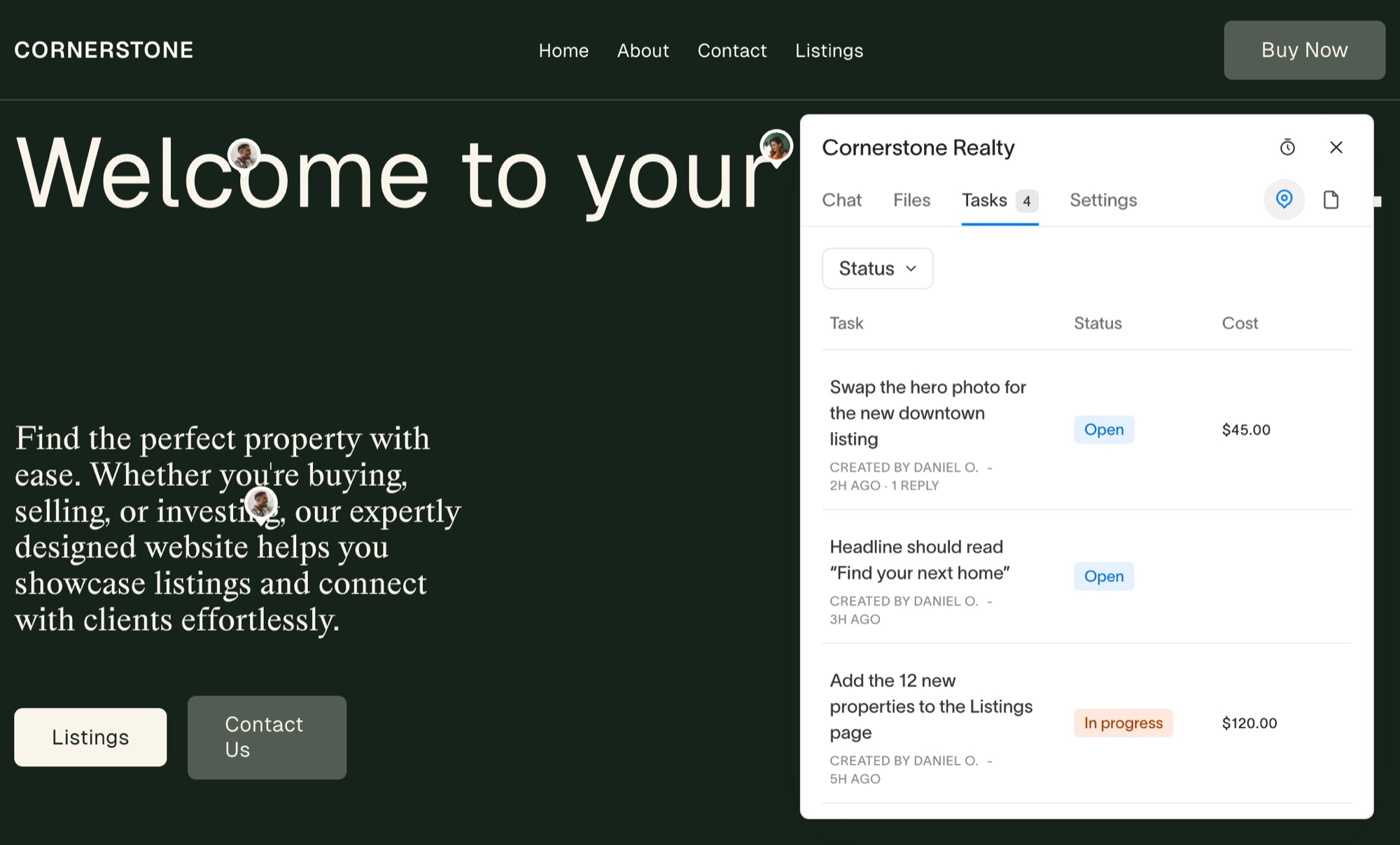
With MarkUp.io, your client opens a copy of their site in a separate tool. With Bridge, they open their own Squarespace editor and the widget is there in the corner. They press the pin, click the heading or image they want changed, and type. The task arrives with a screenshot of what they saw and the browser and screen size they saw it on.
Priced by sites, not by comments
MarkUp.io's plans count MarkUps each month and charge for the ones over your limit. Bridge counts client sites instead. Link covers five for $19 a month, and every client on it can leave as much feedback as they like.
The conversation and the work in one place
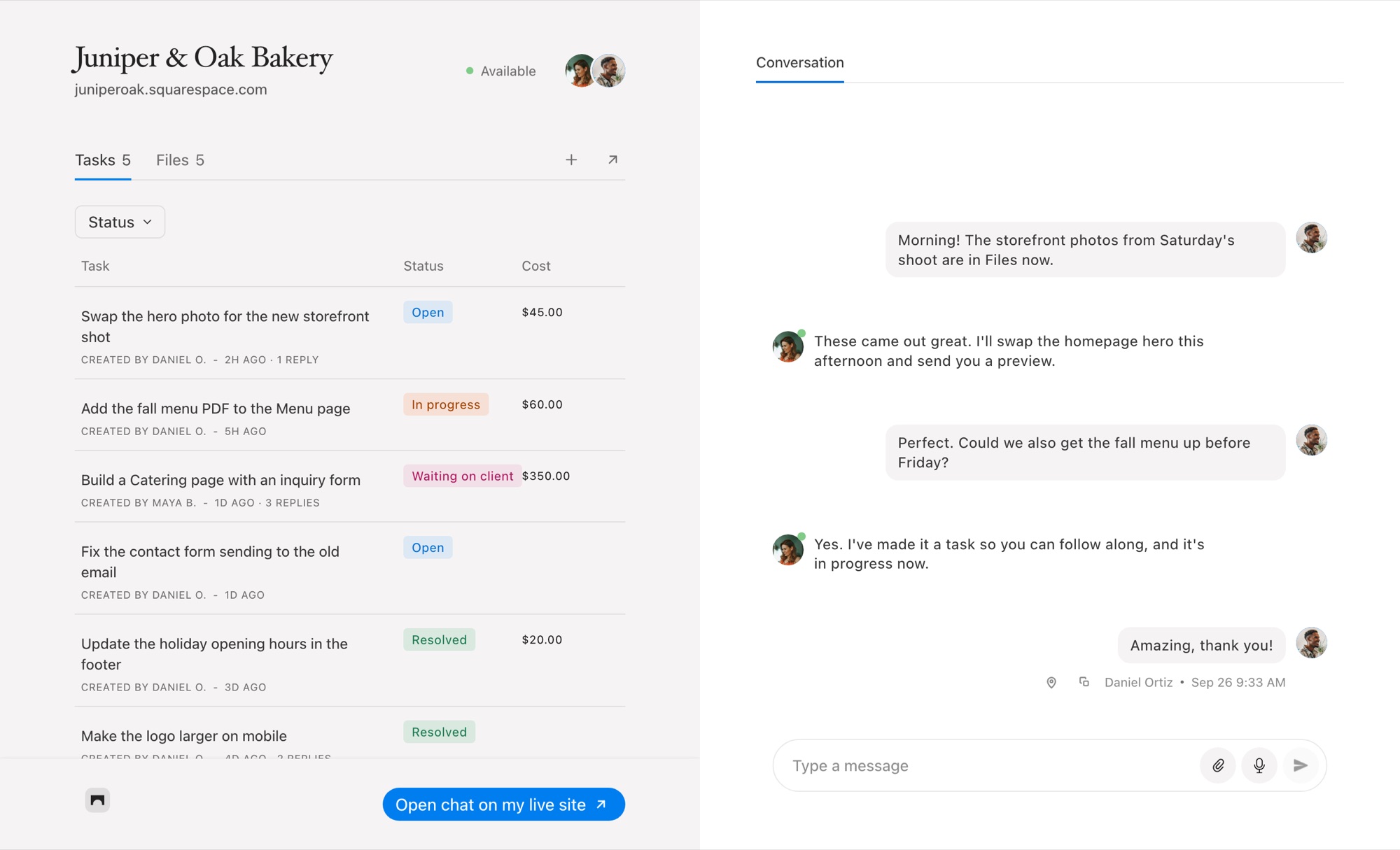
A comment thread is fine for "make this bigger". It isn't where you send a voice note, share the new logo or ask whether the launch date still stands. Bridge gives each project a real chat beside its tasks, and any message can become a task with one click.
Get paid for the extras
MarkUp.io stops at feedback. In Bridge, any task can carry a fixed price or be billed hourly from its timer, and your client pays for it from the task through your own Stripe account. See how to get paid for website change requests.
When MarkUp.io Is the Better Choice
Stay with MarkUp.io if you review PDFs, images or video with clients, if your sites are built on WordPress, Webflow or anything other than Squarespace, or if your reviewers are people you'd never invite to the site's editor. Bridge doesn't try to do any of that.
For a wider look at the options, read the best MarkUp.io alternatives for Squarespace designers.
Common Questions
Is Bridge a direct replacement for MarkUp.io?
For Squarespace work, yes: your client pins feedback to the page and you get a task with the screenshot and device details. For PDFs, images, video or sites on other platforms, no. Bridge only works on Squarespace sites.
Do my clients need an account?
No password. You add them as members of a project and they sign in with a link sent to their email. They can then use the widget in their Squarespace editor or the project’s chat page.
Does the widget show on my client’s live site?
No. The Bridge widget only appears inside the Squarespace editor, so visitors to the live site never see it.
How much does Bridge cost compared with MarkUp.io?
Bridge starts at $19 a month for five client sites, $39 for 25 and $99 for unlimited, with a 14-day free trial. MarkUp.io’s paid plans start at $79 a month. Bridge also takes 2% of client payments on Link and Connect and 1% on Atlas, only when you use payments.
Can I move my existing projects over?
There is no import from MarkUp.io. Most designers start new feedback rounds in Bridge and let the old MarkUps finish where they are.

Chat directly
on Squarespace.
Bridge helps you stay connected with the clients you manage. Chat directly and make every conversation count.


