The Best MarkUp.io Alternatives for Squarespace Designers

MarkUp.io made visual feedback easy: share a link, and your client comments right on the page. Then the free plan went away and paid plans moved to $79 a month. If most of your clients are on Squarespace, you may not need a tool that proofs every file type on every platform. Here are the alternatives worth a look, and who each one is for.
Why Designers Look for a MarkUp.io Alternative
MarkUp.io is broad by design. It handles live websites, images, PDFs and video, and guests can comment without signing up. That breadth is worth paying for if you review all of those things. For a Squarespace designer collecting revisions on client sites, most of it goes unused.
The pricing is the other reason. The entry plan includes a set number of MarkUps a month and charges for each one after that, so a busy revision month costs more than a quiet one. Designers who'd rather pay a flat price for their client sites tend to start looking around.
And feedback is only part of the job. Once a comment is left, you still have to discuss it, track it, and often bill for it. MarkUp.io stops at the comment.
What to Look For
Start with where your client leaves feedback. The less they have to open, install or sign up for, the more likely they are to use it instead of emailing you. Then check what each comment carries: a screenshot, the page, and the browser and screen size, so you can see what they saw. Finally, look at what happens next. A comment that becomes a task with a status is easier to finish than one that sits in a thread.
The Alternatives
1. Bridge
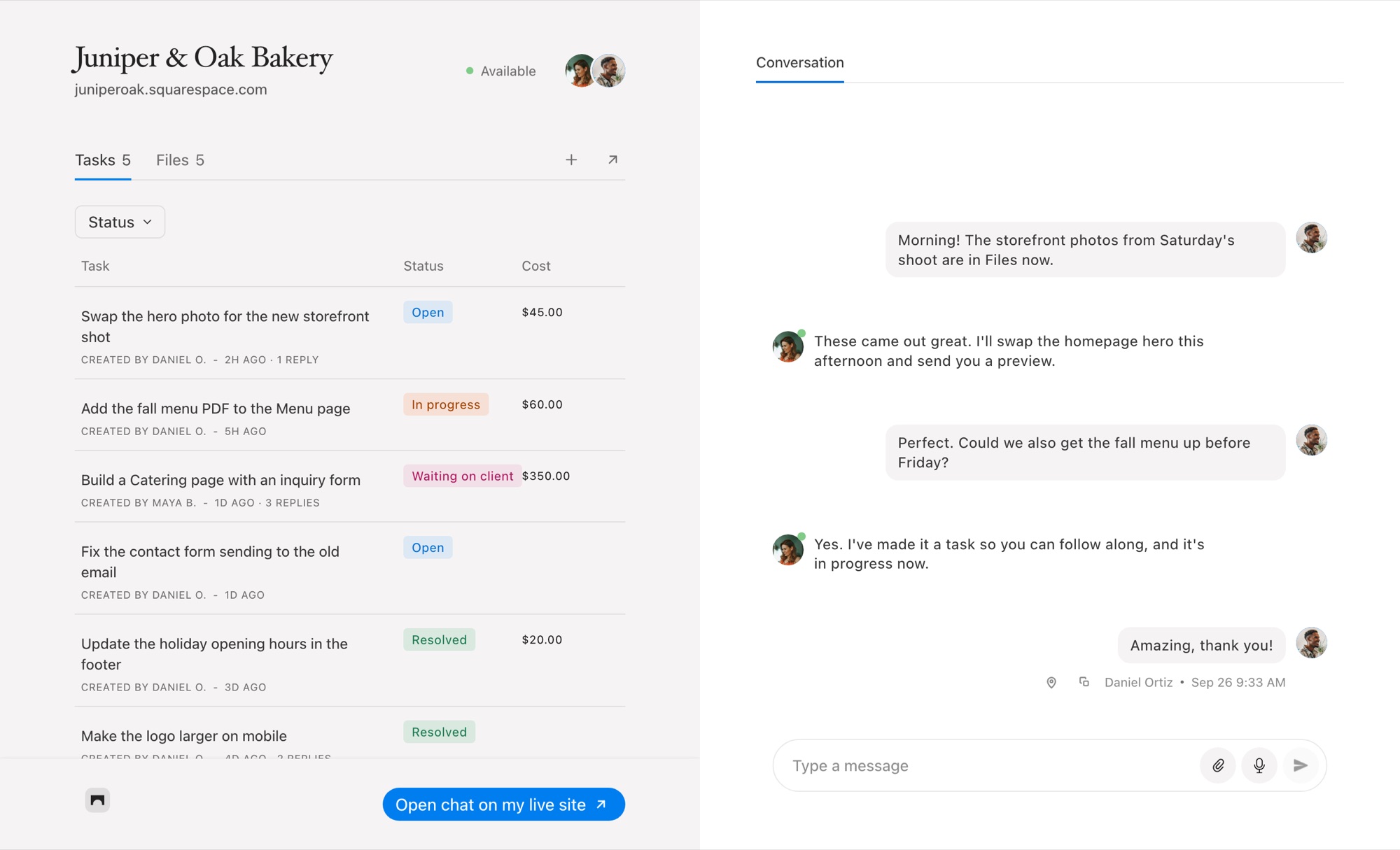
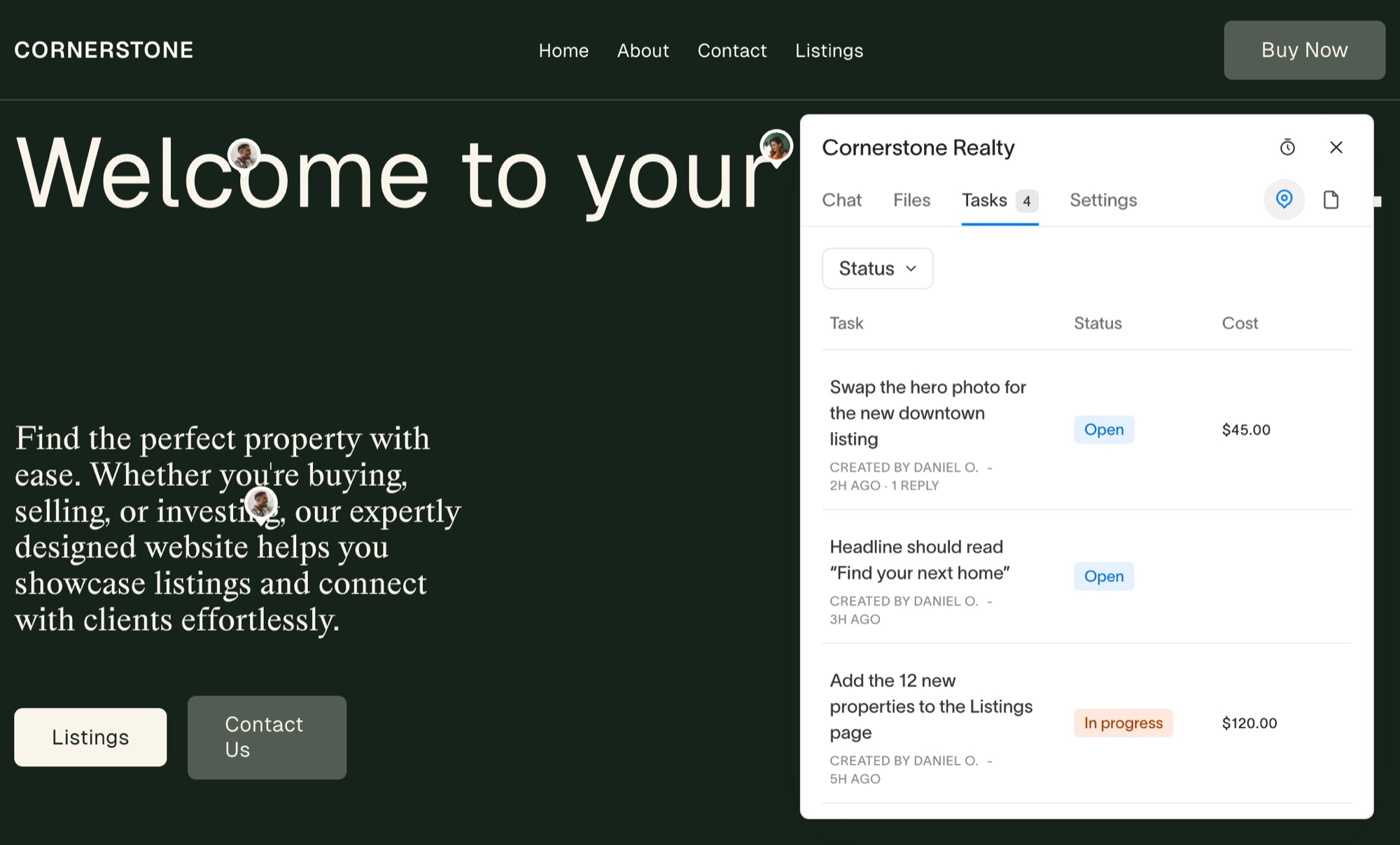
Bridge is built only for Squarespace. A small widget sits in the corner of your client's site inside their Squarespace editor, and never on the live site. Your client presses the pin, clicks the thing they want changed and types the request. You get a task with a screenshot, the page, the browser and the screen size.
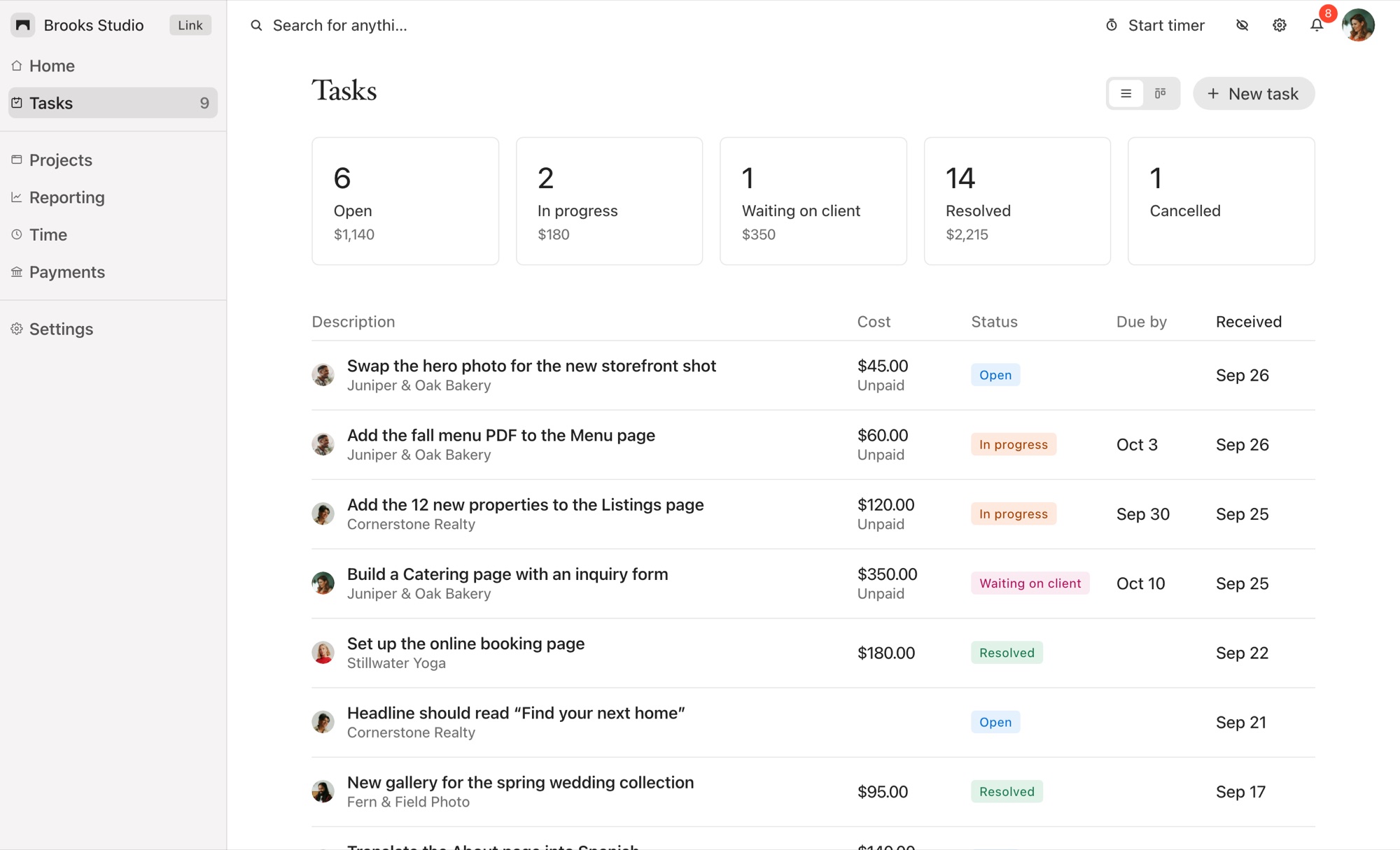
Around that, each project has a real-time chat with files and voice notes, task statuses from Open to Resolved, a timer on every task, and client payments: give a task a fixed price or bill it hourly, and your client pays from the task through your own Stripe account. Clients who aren't in the editor can use the project's chat page instead.
Plans are priced by the number of client sites, not by comments: $19 a month for five, $39 for 25 and $99 for unlimited, with a 14-day free trial. The catch is obvious: if a site isn't on Squarespace, Bridge can't help with it. See the full Bridge and MarkUp.io comparison.
2. Pastel
Pastel is the closest to MarkUp.io in spirit. You share a link to a website and your client comments on it, with nothing to install. It works on any platform, which makes it a sensible pick if your client list is mixed and you only need comments rather than chat or billing.
3. Marker.io
Marker.io is aimed at teams that already run their work in a project management tool. Feedback and bug reports are captured on the site and sent straight to tools like Jira, Trello or Asana. It suits studios with developers and a formal QA process more than a solo designer.
4. BugHerd
BugHerd pins feedback to page elements and drops it onto a built-in task board, so comments become cards you can move through columns. If you want visual feedback and a board in one tool and don't need chat or payments, it's a strong option.
5. PageProofer
PageProofer collects feedback on live sites through a script or a browser extension, and keeps a task list of what's been raised. It sits between Pastel and BugHerd: more structure than a comment link, less than a full board.
6. Feedbucket
Feedbucket adds a feedback widget to the site and syncs what clients report into the project management tool you already use. It's a good fit for agencies that want client feedback to land in their existing workflow without anyone logging in somewhere new.
Which One Should You Choose?
If your clients are on Squarespace and you want feedback, conversation, tasks and payment in one place, Bridge covers the most of your day for the least money. If your clients are spread across platforms and you only need comments, Pastel is the simplest swap. If you run a team with a project management tool at the centre, look at Marker.io or Feedbucket, and if you want a board built in, BugHerd.
If you proof PDFs, images and video as much as websites, MarkUp.io may still be the right tool, and the price may be worth it.
Common Questions
Does MarkUp.io still have a free plan?
No. MarkUp.io removed its free plan in 2025, and its paid plans start at $79 a month.
Do these tools work on Squarespace?
All of them can review a Squarespace site. Bridge is the only one on this list built for Squarespace alone, with the widget inside the Squarespace editor rather than on the live site.
Can my client leave feedback without an account?
Most of these tools allow guest feedback in some form. In Bridge, your client signs in with a link sent to their email, with no password to remember.
What does Bridge cost?
Link is $19 a month for five client sites, Connect is $39 for 25, and Atlas is $99 for unlimited sites, each with a 14-day free trial. See pricing for the full comparison.
Pick the Tool Your Clients Will Use
The best MarkUp.io alternative is the one your clients will actually open. For Squarespace sites, that's the editor they already log in to. Put feedback there, turn every comment into a task, and let the work that's out of scope pay for itself.