
Bridge vs HoneyBook: the sale and the build.
HoneyBook gets a client signed and paid. Bridge is where the Squarespace site gets built with them. Plenty of designers use both.
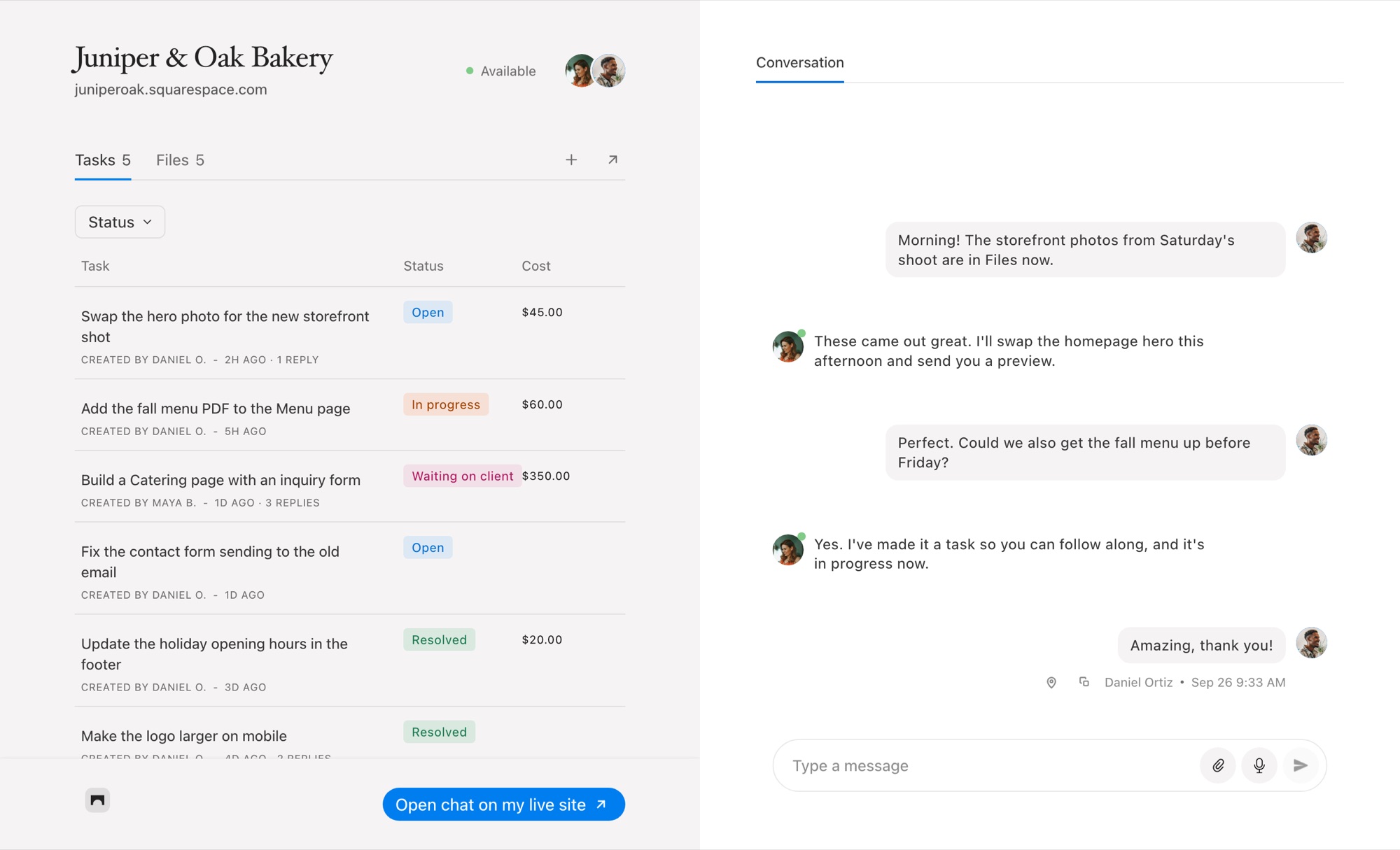
Bridge and HoneyBook, Side by Side
People searching for a HoneyBook alternative are often looking for one of two things: a cheaper CRM, or something that helps during the project itself. Bridge isn’t a CRM. It doesn’t do proposals, contracts or scheduling. It does the part HoneyBook doesn’t: the day-to-day back and forth on a Squarespace site.
HoneyBook details from honeybook.com/pricing and its help center, checked October 6, 2026.
Where Bridge Fits Next to HoneyBook
HoneyBook closes the project; Bridge runs it
Use HoneyBook for the inquiry form, the proposal, the contract and the deposit. Once the build starts, the questions change: is this the right photo, can the button be green, why does the menu look different on my phone. That conversation belongs on the site, and that’s where Bridge sits.
Feedback on the page, not in an email
HoneyBook messages arrive as email threads on the project. In Bridge, your client opens their Squarespace editor, pins a note to the exact heading or image, and you get a task with a screenshot and their device details. No guessing which "top section" they meant. Read about the website feedback tool for Squarespace.
Small changes after launch
HoneyBook is built around the project you sold. Bridge keeps working after launch: your client raises a request, you price it fixed or hourly, and they pay for that one task. It’s an easy way to charge for the edits that arrive months later. See how to get paid for website change requests.
When HoneyBook Is the Better Choice
If you need one tool for leads, proposals, contracts, scheduling, invoices and automations, HoneyBook does all of that and Bridge does none of it. It also isn’t tied to any website platform.
If your pain is the build itself, scattered feedback, long email threads and unpaid small changes on Squarespace sites, Bridge is built for exactly that, and it works fine alongside HoneyBook.
Common Questions
Can Bridge replace HoneyBook?
Not as a CRM. Bridge has no proposals, contracts, scheduling or lead forms. It replaces the email back and forth during a Squarespace build, and it can take payment for individual tasks.
Can I use Bridge and HoneyBook together?
Yes. Many designers book and contract the project in HoneyBook, then run the build and later change requests in Bridge.
Does HoneyBook have website feedback?
No. HoneyBook has no way for a client to pin feedback to a page on their website. Bridge does it inside the Squarespace editor.
What does Bridge cost?
Bridge is $19 a month for five client sites, $39 for 25 and $99 for unlimited, with a 14-day free trial and no card needed.
Comparing other tools? See every Bridge comparison.

Chat directly
on Squarespace.
Bridge helps you stay connected with the clients you manage. Chat directly and make every conversation count.


